
In today's digital-first economy, a high-performance website is not just a digital brochure; it's the central hub of your business operations, your most powerful marketing tool, and a critical channel for customer engagement. Yet, many businesses struggle with outdated, slow, or ineffective sites that fail to convert visitors into customers. Industry data from 2025 shows that 53% of mobile users will abandon a site if it takes longer than three seconds to load, highlighting the immense pressure on businesses to deliver a flawless online experience. The process of professional website creation has evolved beyond simple aesthetics; it's a complex, multi-stage discipline that blends strategy, technology, and user-centric design to achieve tangible business outcomes. This guide provides a comprehensive, step-by-step blueprint for navigating that process successfully.
Whether you're a startup building your first online presence or an established enterprise planning a major redesign, understanding the intricacies of modern web development is crucial. From selecting the right technology stack to implementing a robust SEO strategy and ensuring long-term maintainability, every decision impacts your bottom line. We will demystify the entire lifecycle, providing actionable insights to help you build a website that not only looks great but also performs exceptionally, drives growth, and delivers a significant return on investment. This is your definitive guide to professional website creation in 2025.
| Area | Key Insight |
|---|---|
| Strategy First | A successful website begins with a clear strategy. Defining goals, audience, and KPIs before design or development prevents costly rework and ensures the final product meets business objectives. |
| Technology Choice | The choice between a CMS (like WordPress) and custom development (like Next.js) fundamentally impacts scalability, performance, and long-term costs. The decision must align with your specific technical and business needs. |
| User Experience (UX) | UX is not just about aesthetics; it's about creating an intuitive, efficient, and enjoyable journey for the user. A strong UX directly correlates with higher conversion rates and customer satisfaction. |
| Performance is Key | Page speed, mobile responsiveness, and accessibility are non-negotiable. Modern search engines penalize slow sites, and users have zero tolerance for poor performance. |
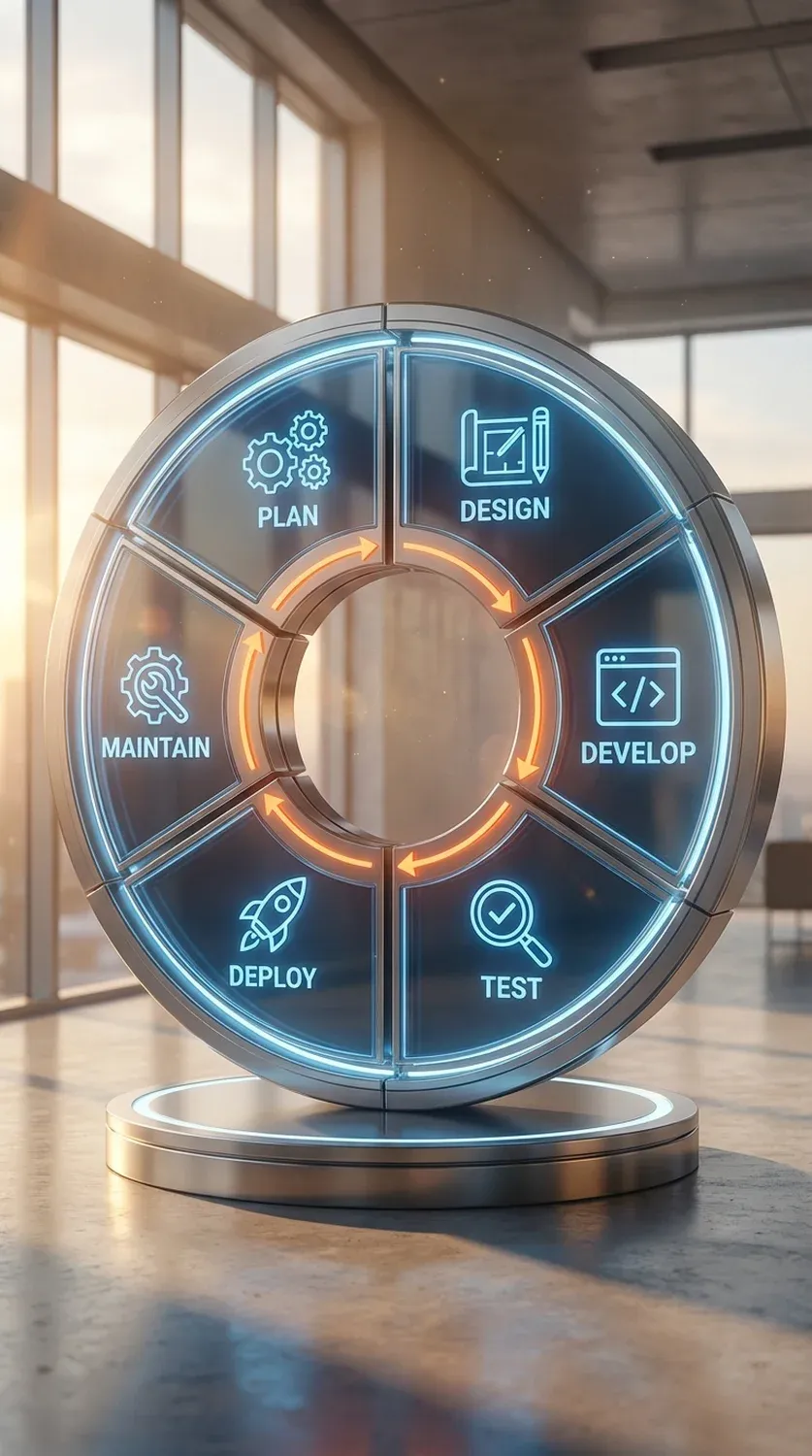
| Launch is a Beginning | Website creation is not a one-time project. A successful launch is the start of a continuous cycle of maintenance, monitoring, and optimization based on user data and evolving business goals. |
The Foundation: Strategy and Planning
Before a single pixel is designed or a line of code is written, the most critical phase of professional website creation begins: strategy. Skipping this foundational step is like building a house without a blueprint—it's destined for structural problems. A robust strategy ensures that every subsequent decision is aligned with clear, measurable business objectives. The process starts with asking fundamental questions: What is the primary purpose of this website? Is it to generate leads, sell products, provide information, or build a community? Who is our target audience, and what are their needs, pain points, and online behaviors? Answering these questions with precision allows you to define Key Performance Indicators (KPIs) that will measure the website's success, such as conversion rates, bounce rates, session duration, or customer lifetime value.
Once the goals are set, the next step is to map out the website's structure and functionality. This involves creating a detailed sitemap, which acts as a hierarchical map of all pages, and defining the user flows—the paths visitors will take to accomplish their goals. At this stage, competitive analysis is also vital. By examining the websites of your direct and indirect competitors, you can identify industry standards, uncover opportunities for differentiation, and avoid common pitfalls. The culmination of this phase is a comprehensive project brief that documents everything: goals, target audience personas, technical requirements, content strategy, and project timeline. This document becomes the guiding star for the entire team, ensuring everyone is working towards the same vision and a successful outcome. This meticulous planning is the hallmark of true professional website creation.
Strategic Insight: Define your "one metric that matters" (OMTM) early on. Whether it's demo requests, newsletter sign-ups, or completed purchases, focusing on a single primary KPI helps clarify every strategic decision.
Choosing the Right Technology Stack
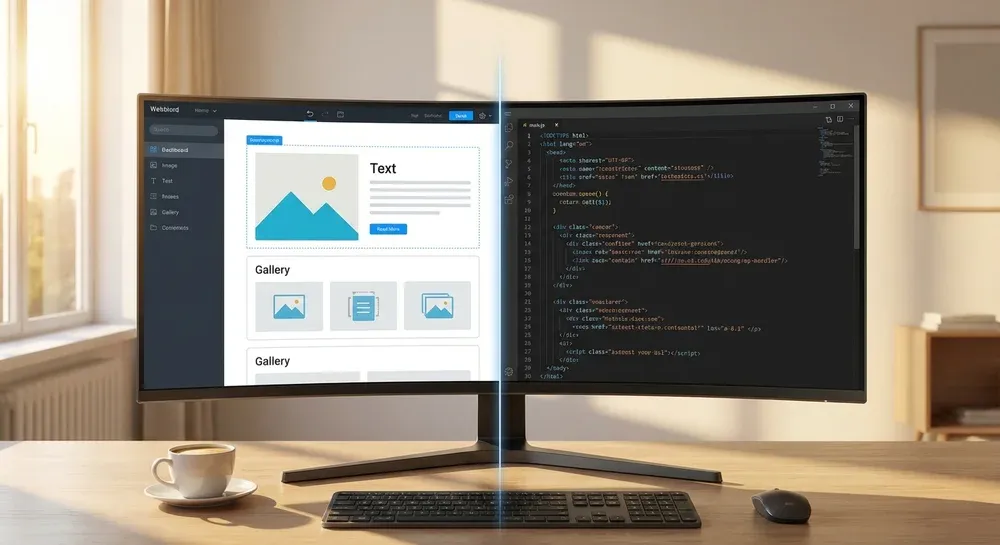
The technology stack is the collection of programming languages, frameworks, and tools used to build and run your website. This decision is one of the most consequential in the entire process, as it directly impacts performance, scalability, security, and the long-term cost of ownership. The primary choice often boils down to using an off-the-shelf Content Management System (CMS) or opting for custom development. For many businesses, a CMS like WordPress is a popular choice due to its user-friendly interface, extensive plugin ecosystem, and large developer community. It's an excellent solution for content-heavy sites like blogs, portfolios, and standard corporate websites, allowing non-technical users to manage content with ease.
However, for applications requiring unique functionality, high performance, or tight integration with other systems, custom development is often the superior path. Modern JavaScript frameworks like React, Vue, and Next.js offer unparalleled flexibility and can deliver lightning-fast, highly interactive user experiences. A "headless" architecture, where the frontend is decoupled from the backend CMS, is becoming the standard for enterprise-grade solutions. This approach allows for greater scalability and enables content to be delivered to any platform (web, mobile app, etc.) via APIs. The decision hinges on your specific needs: Do you prioritize ease of content management and a lower initial cost, or do you require bespoke functionality, top-tier performance, and future-proof scalability? A thorough analysis of your project requirements against the capabilities of each approach is essential for a successful professional website creation project. Engaging in custom automation solutions can also streamline the development and deployment pipeline, regardless of the stack chosen.
| Aspect | CMS (e.g., WordPress) | Custom Development (e.g., Next.js) |
|---|---|---|
| Flexibility | High (within theme/plugin limits) | Virtually unlimited |
| Performance | Good (can be slowed by plugins) | Excellent (highly optimizable) |
| Ease of Use | Very easy for non-technical users | Requires developer involvement for changes |
| Initial Cost | Lower | Higher |
| Security | Reliant on plugin/theme updates; common target | Can be built to very high standards |
| Scalability | Good for most cases, but can hit limits | Extremely high scalability |
UI/UX Design: Crafting the User Experience
User Interface (UI) and User Experience (UX) design are often mentioned together, but they represent two distinct yet interconnected disciplines crucial for a website's success. UX design is the macro-level process of creating a product that is useful, usable, and enjoyable. It focuses on the overall feel of the experience, the user's journey, and the logical structure of the information (Information Architecture). A UX designer's work starts with research—understanding user needs and behaviors—and translates that into wireframes and user flows. Wireframes are low-fidelity skeletal outlines of a webpage, focusing on structure and functionality rather than aesthetics. They ensure the layout is intuitive and that users can find what they need with minimal effort.
UI design, on the other hand, is the micro-level process of creating the visual and interactive elements of the website. This includes everything from choosing color palettes and typography to designing buttons, icons, and animations. The UI designer takes the wireframes and builds high-fidelity mockups and interactive prototypes that represent the final look and feel. In 2025, a successful UI must adhere to key principles: consistency, clarity, and feedback. It must also be fully responsive, providing a seamless experience across all devices, from large desktops to small mobile phones. The synergy between UI and UX is what separates a mediocre website from a great one. A beautiful site (good UI) that is confusing to navigate (bad UX) will fail, as will a logically structured site (good UX) that looks dated and unprofessional (bad UI). Mastering both is a cornerstone of effective professional website creation.
Pro Tip: Adopt a "mobile-first" design approach. Design the experience for the smallest screen first and then scale up. This forces you to prioritize essential content and functionality, leading to a cleaner and more focused design on all devices.
The Development Phase: Bringing the Design to Life
The development phase is where the strategic plans and visual designs are transformed into a functional, interactive website. This process is typically split into two main areas: frontend and backend development. Frontend development, also known as client-side development, involves building the parts of the website that users directly interact with. Using languages like HTML for structure, CSS for styling, and JavaScript for interactivity, frontend developers translate the UI mockups into live code. Their primary goal is to ensure the website looks and works exactly as designed across all major web browsers and devices. This requires meticulous attention to detail, a deep understanding of responsive design principles, and a focus on performance to ensure fast load times.
Backend development, or server-side development, is the engine that powers the website from behind the scenes. It involves managing the server, the application logic, and the database. Backend developers work with languages like Python, PHP, or Node.js and are responsible for tasks such as user authentication, data processing, and integrations with third-party services via APIs. For example, when you fill out a contact form, the backend code processes that information and stores it in a database or sends an email notification. In any high-quality professional website creation process, writing clean, well-documented, and maintainable code is paramount for both frontend and backend. This practice ensures the website is not only robust and secure at launch but also easy to update and scale in the future. The development phase requires a close collaboration between designers and developers to ensure the final product is a faithful and functional realization of the initial vision, including the integration of tools like a RAG AI chatbot for enhanced user interaction.
Content is King: Creation and Optimization
A technically perfect and beautifully designed website is an empty shell without high-quality, engaging content. Content is the primary reason visitors come to your site, and it plays a decisive role in search engine rankings and conversion rates. The content creation process should run parallel to design and development, not as an afterthought. This includes all the text (copywriting), images, videos, infographics, and downloadable resources that will populate the site. Your content strategy, defined in the planning phase, should guide this process, ensuring every piece of content serves a purpose, speaks to your target audience's needs, and reinforces your brand voice.
More than just creation, content must be optimized for both users and search engines. This is the core of on-page Search Engine Optimization (SEO). It involves strategically incorporating target keywords into page titles, headings, meta descriptions, and body copy in a natural, human-readable way. Image optimization, including descriptive alt text and compressed file sizes, is also critical for both accessibility and page speed. Furthermore, structuring content logically with clear headings (H1, H2, H3), bullet points, and short paragraphs improves readability and helps search engines understand the context of your page. The goal is to create a seamless experience where users find valuable information easily, and search engines reward your site with higher visibility. Neglecting content is one of the most common mistakes in the professional website creation journey; investing in it is investing directly in your business's growth.
| Factor | On-Page SEO | Off-Page SEO |
|---|---|---|
| Focus | Optimizing elements ON your website | Actions taken OUTSIDE your website |
| Examples | Keyword optimization, meta tags, content quality, site speed, internal linking, image alt text | Backlink building, social media marketing, guest blogging, brand mentions |
| Control | Full control | Indirect control (relies on third parties) |
| Goal | Make the site search engine friendly and valuable to users | Build the website's authority, reputation, and trust |
Testing, Launch, and Deployment
The final stage before your website goes live is a comprehensive testing and quality assurance (QA) phase. This is a critical step to identify and fix any bugs, errors, or inconsistencies before they impact your users. The testing process should be multifaceted, covering functionality, usability, performance, compatibility, and security. Functional testing ensures that all links, forms, buttons, and interactive elements work as expected. Usability testing, sometimes involving real users, confirms that the site is easy to navigate and the user journey is intuitive. Compatibility testing is crucial to verify that the website renders correctly across a range of devices (desktops, tablets, phones) and web browsers (Chrome, Firefox, Safari).
Performance testing measures key metrics like page load speed and server response time under various traffic conditions. Security testing involves checking for vulnerabilities that could be exploited by malicious actors, such as cross-site scripting (XSS) or SQL injection. Once all tests are passed and any issues are resolved, the website is ready for deployment. This process involves moving the site files from a staging or development environment to the live production server. A pre-launch checklist is essential to ensure a smooth transition. This checklist typically includes setting up 301 redirects from old URLs (if it's a redesign), creating an XML sitemap for search engines, installing analytics tools like Google Analytics, and performing a final double-check of all content and functionality on the live server. A successful launch isn't the end of the professional website creation process; it's the beginning of its life online.

Post-Launch: Maintenance and Growth
Launching a website is a milestone, not the finish line. The digital landscape is constantly evolving, with new security threats, browser updates, and changing user expectations. A proactive maintenance plan is essential to protect your investment and ensure your website continues to perform optimally. Regular maintenance tasks include software updates (for CMS, plugins, and themes), security scans to detect and remove malware, and routine backups of the website's files and database. These actions prevent vulnerabilities, ensure compatibility, and provide a safety net in case of a critical failure. Ignoring maintenance is a common but costly mistake that can lead to security breaches, broken functionality, and a degraded user experience.
Implementation Advice: Schedule a monthly maintenance window. During this time, run all updates on a staging server first, perform a full backup, and run a security and performance scan. This proactive approach prevents most common website issues.
Beyond maintenance, the post-launch phase is about growth and continuous improvement. By monitoring website analytics, you can gain invaluable insights into user behavior. Which pages are most popular? Where are users dropping off? Which traffic sources are driving the most conversions? This data allows you to make informed decisions for optimization. A/B testing different headlines, calls-to-action, or layouts can lead to significant improvements in conversion rates. Regularly updating your blog with fresh, relevant content can boost your SEO and attract new visitors. The cycle of measure, learn, and iterate is what turns a good website into a great one over time. This ongoing commitment to evolution and improvement is the final, crucial component of the entire professional website creation lifecycle, and where expert data processing AI agents can help identify key trends for growth.
The AiSolve Difference: AI-Enhanced Web Development
While the foundational principles of website creation remain, the tools and methodologies are undergoing a significant transformation driven by Artificial Intelligence. At AiSolve, we are at the forefront of this evolution, integrating AI into every stage of the development lifecycle to deliver superior results for our clients. Our approach to professional website creation leverages AI not as a replacement for human expertise, but as a powerful amplifier that enhances efficiency, creativity, and performance. For instance, in the strategy phase, we use AI-powered analytics tools to conduct deeper market research and identify user behavior patterns that might be missed by traditional analysis. This data-driven approach ensures your website strategy is built on a solid foundation of real-world insights.
During design and development, AI assists in generating initial design concepts, optimizing code for performance, and automating repetitive testing tasks. This allows our expert developers and designers to focus on what they do best: solving complex problems and creating unique, user-centric experiences. Post-launch, our AI systems can monitor website performance in real-time, predict potential issues before they arise, and even personalize content for individual users based on their browsing history. Imagine a website that automatically adapts its messaging or product recommendations to each visitor, significantly boosting engagement and conversions. This is the power of AI-enhanced development. By choosing AiSolve, you are not just getting a website; you are getting a dynamic, intelligent digital asset built for the future of the web, with capabilities like an integrated AI phone customer service solution for seamless omnichannel support.
Ready to transform your vision into a high-performance digital asset? The process of professional website creation is complex, but you don't have to navigate it alone. Our team of experts is here to guide you through every step.
Start Your Website Project Today[Article generated by AiSolve AI Content System]
Frequently Asked Questions
What is the average cost of creating a website?
The cost of a website varies widely based on complexity. A simple brochure site using a template can cost a few thousand dollars. A custom-designed site with unique features can range from $10,000 to $50,000+. An enterprise-level e-commerce platform or web application can exceed $100,000. Key cost factors include custom design vs. templates, the number of unique pages, and the complexity of required features like user accounts, e-commerce, or third-party integrations.
How long does it take to build a website?
Similar to cost, the timeline depends on scope. A simple website might take 4-6 weeks from start to finish. A more complex corporate site can take 8-12 weeks. Large-scale projects like e-commerce platforms or web applications often require 3-6 months or longer. The timeline is heavily influenced by the speed of client feedback, content delivery, and the complexity of the development and testing phases.
What's the difference between UI and UX design?
UX (User Experience) design is about the overall feel and usability of the product. It focuses on the user's journey, making sure the website is logical, intuitive, and meets their needs. UX designers create wireframes and user flows. UI (User Interface) design is the visual part; it's about the look and feel, including colors, fonts, and the layout of interactive elements. UI designers create the final mockups. In short, UX makes it useful, and UI makes it beautiful.
Why is website maintenance important?
Website maintenance is crucial for three main reasons: security, performance, and user experience. Regular updates patch security vulnerabilities, protecting your site from hackers. Performance maintenance ensures your site remains fast and compatible with new browsers. Finally, fixing broken links and updating content keeps the user experience positive and encourages repeat visits. Neglecting maintenance can lead to a slow, insecure, and outdated website that hurts your brand and SEO rankings.
Készen állsz a saját weboldaladra?
Ingyenes konzultáció során átbeszéljük, hogyan segíthetünk vállalkozásodnak növekedni egy modern, gyors és konverzióoptimalizált weboldallal. 14 nap alatt kész, 0 Ft induló költséggel.


![30 FAQs About AI Web Development — What Every Business Owner Needs to Know [2026]](/_next/image?url=%2Fimages%2Fblog%2Fai-webfejlesztes-gyik-2026.webp&w=3840&q=75)